


VRCNext

Everything you do in VRChat,
finally in one place.

Enhanced friends, worlds, avatars, groups and VR tool management. Modern, lightweight and actually pleasant to use, without eating a gigabyte of your memory. Maintained with love, and built on one idea: use one app instead of ten just to play VRChat.

T VRCNext is an amazing platform to boost your experience on VRChat.
VRCNext is an amazing platform to boost your experience on VRChat. It gives multiple quality of life enhancements and gives you more information on everything. Highly recommend installing.
TheMustardMan
P MagicChatbox and VRC+ in one handy app, with a nice UI on top!
VRCNext is a pretty good app if you want to have MagicChatbox and VRC+ in one handy app, with a nice UI on top!
puhbu
S The YT player fix is my number one tool for sure.
VRCNext is super helpful. All the tools give VRChat quality of life without breaking any rules. The YT player fix is my number one tool for sure.
SmittyCity
B It even has a nice refreshing UI. Would recommend giving it a try~
VRCNext is a pretty initiative standalone app that helps you monitor everything that you can do in the VRChat website, with some additional options. It even includes some major third-party tools that entirely enhance my experience whenever I am on VRChat. It also includes a Media Library so it makes it easier and simpler to manage your own stickers, banners, etc. Been using it for the past 3+ weeks, and so far it's been nice. It even has a nice refreshing UI. Would recommend giving it a try~
Bevoh
A One of the best apps available for VRChat.
After using VRCNext for a while, I can confidently say it's one of the best apps available for VRChat. The biggest strength of VRCNext is that it brings together features that would normally require multiple separate tools. Instead of juggling several applications, everything is accessible from one clean, modern interface ^^
Akryst
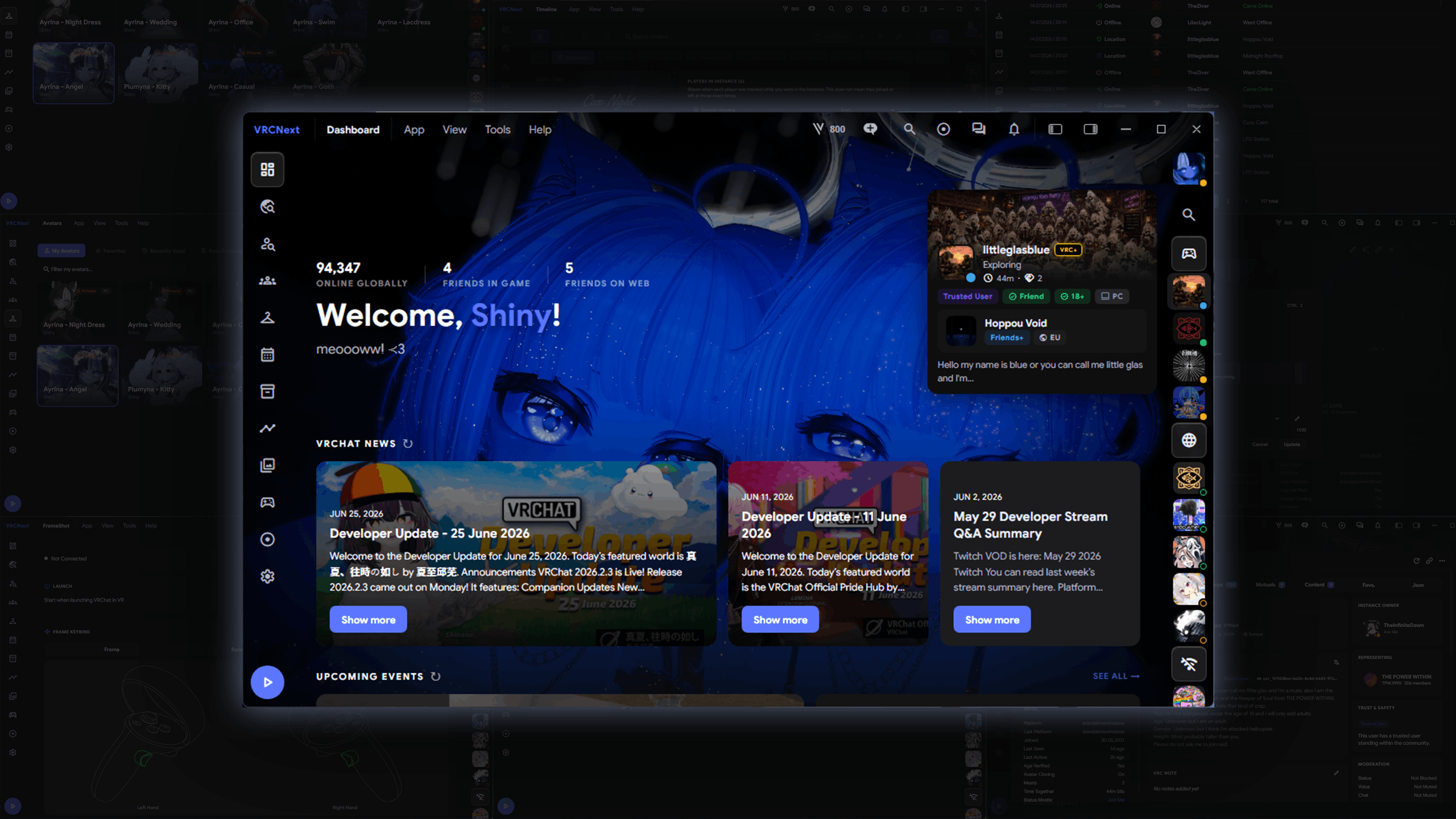
VRCNext dashboard showing VRChat friends, news and events
image Drop your screenshot here as hero.png
Features

One app, instead of ten.

Enhanced Profile Views

Tired of doom scrolling on VRChat.com, or in other VRChat apps, just to dig up one detail about someone? VRCNext puts everything you actually need on a single profile view, so there is nothing left to scroll for.
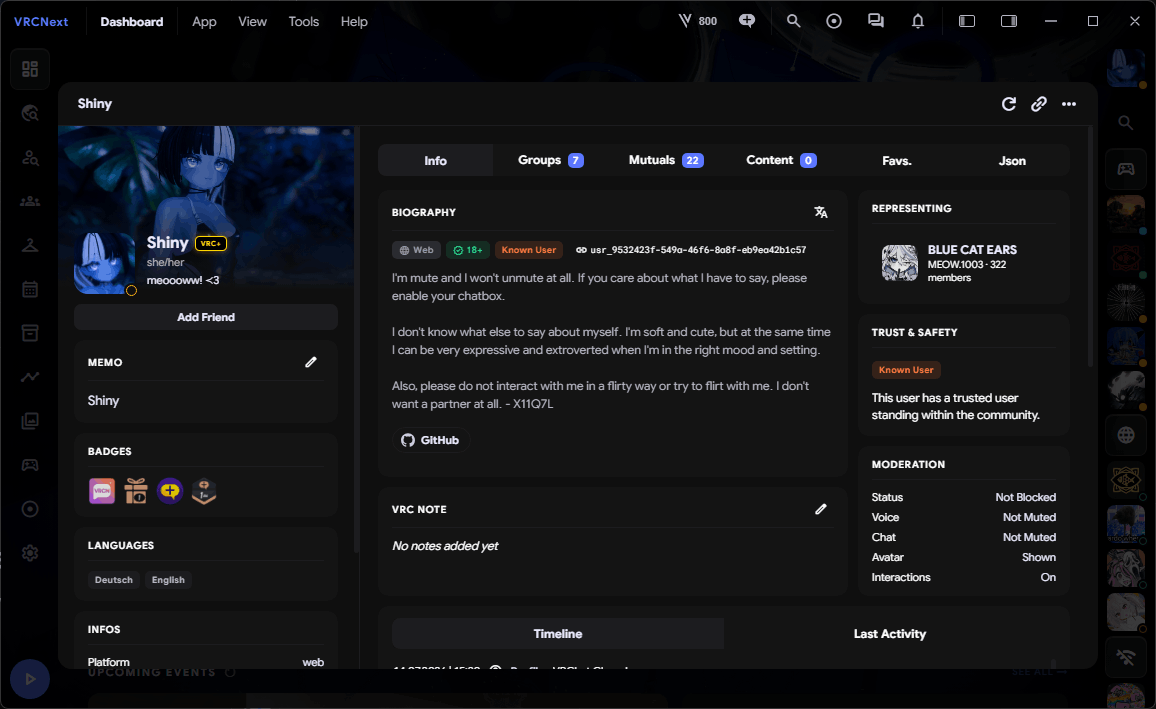
VRCNext enhanced VRChat profile view with bio, groups and moderation
imageshot-profiles.png

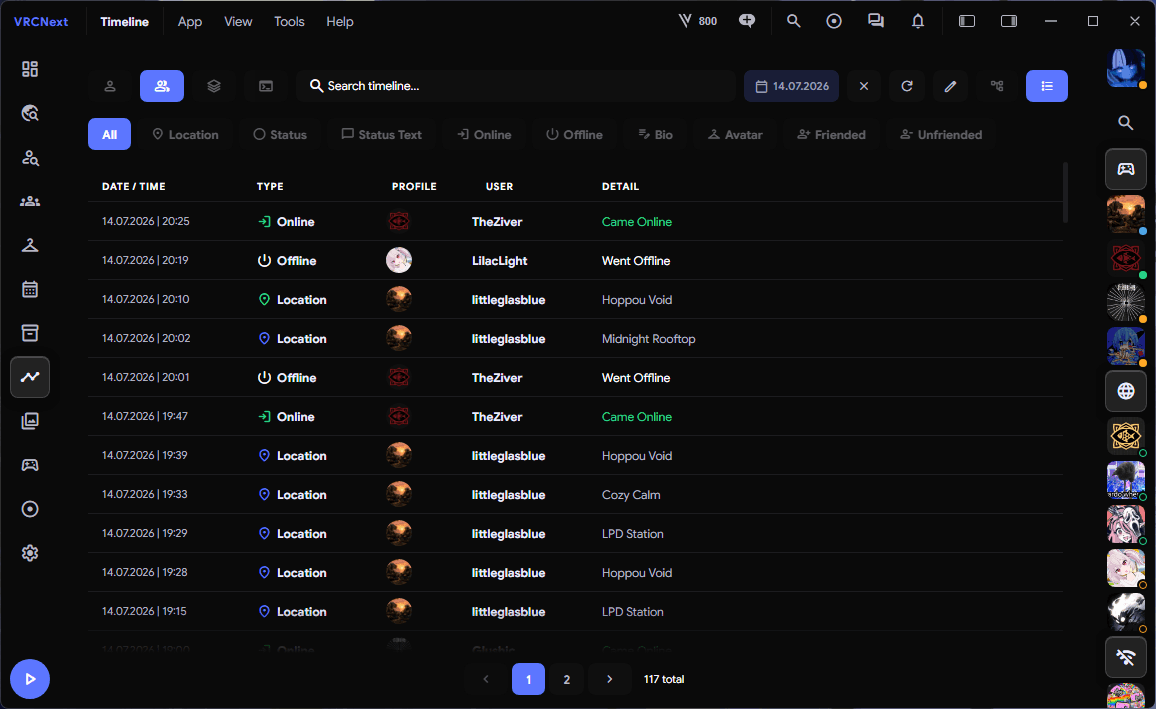
Timeline Tracking

See what your friends have been up to and where they are right now. Or dig through your own history: which avatar you wore months ago, and how long you actually spent with someone in an instance.

VRCNext activity timeline tracking VRChat friend locations and status
imageshot-timeline.png

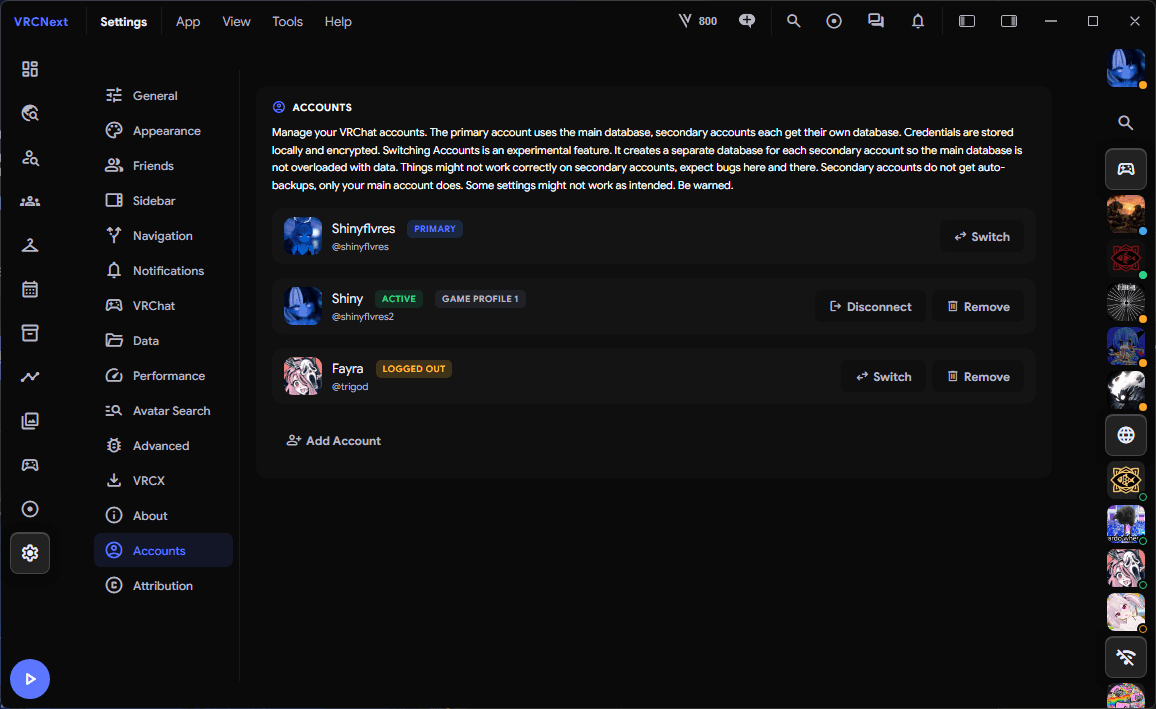
Multi Account Support

VRCNext handles as many accounts as you like, and it goes further than just switching between them. Launch VRChat straight from VRCNext with the account you have selected, without retyping your password every single time. It hooks into VRChat's own profile system, so the right profile always starts.

VRCNext multi account support for switching VRChat accounts
imageshot-accounts.png

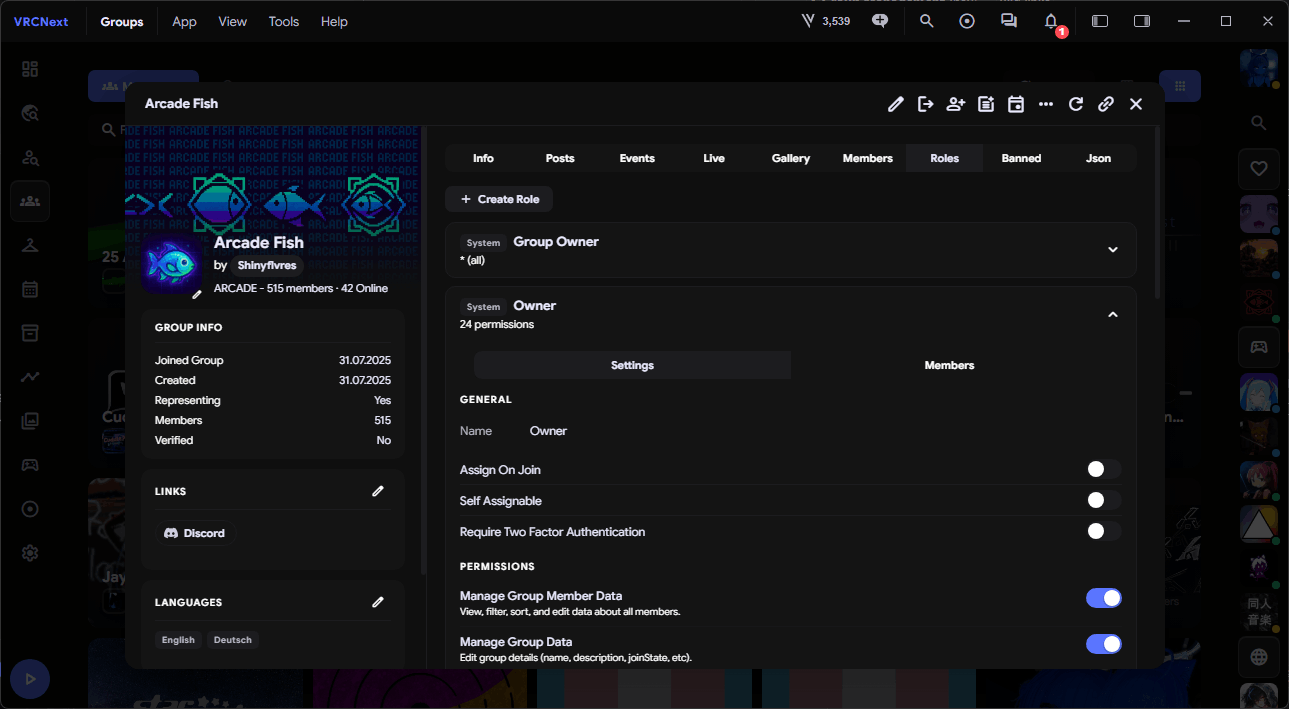
Group Management

Full group management, and not just writing a post or creating an event. Assign roles, kick and ban members, hand out permissions, or build an entirely new role from scratch. No more detours through VRChat.com.

VRCNext VRChat group management with roles and members
imageshot-groups.png

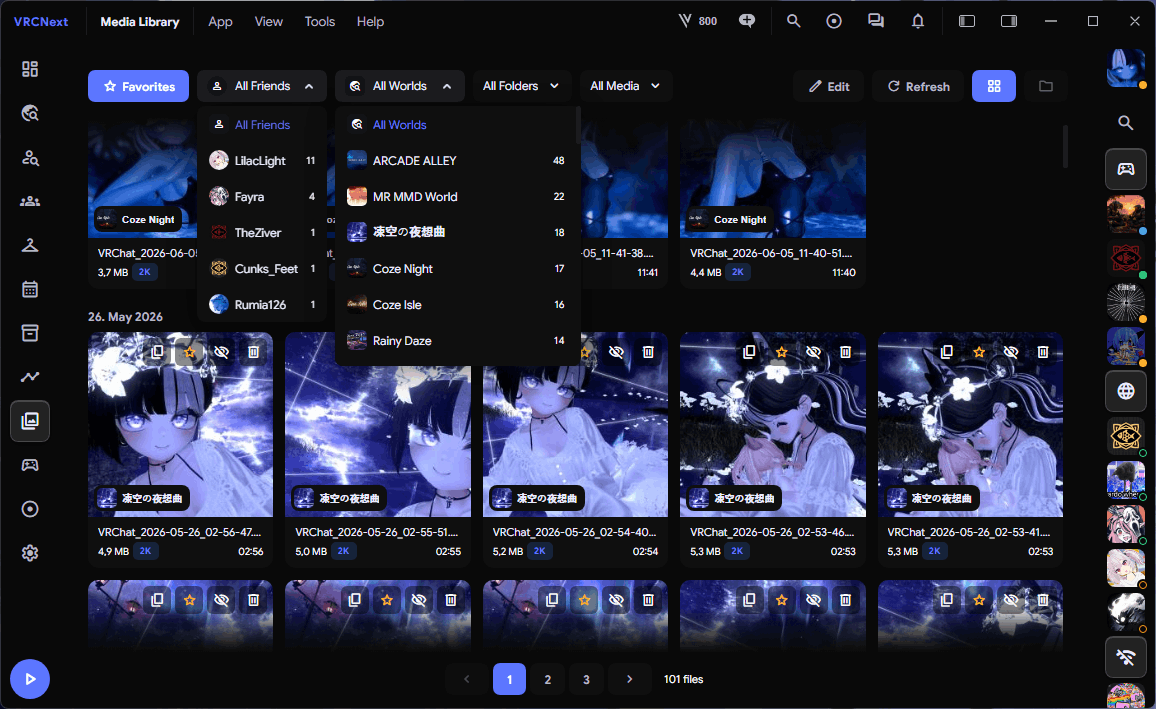
Photo Management

Organise every photo you take in VRChat. See which world each shot was taken in, and filter by the friends who were in the instance with you when you hit the shutter.

VRCNext photo management for VRChat screenshots by world and friends
imageshot-photos.png

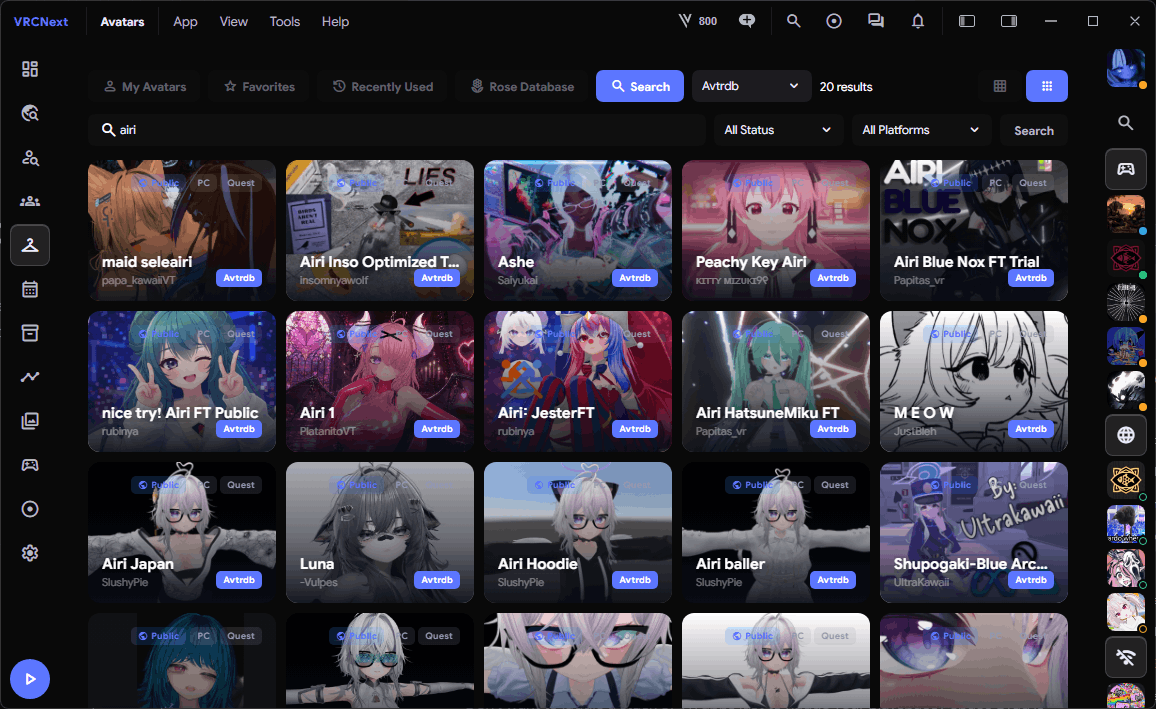
Avatar Databases

Tired of trawling through slow avatar worlds? VRCNext partners with Avtrdb and Cute Avatar Search. Over 5 million avatars, searchable instantly, with smart search built in.

VRCNext avatar database search across millions of VRChat avatars
imageshot-avatars.png

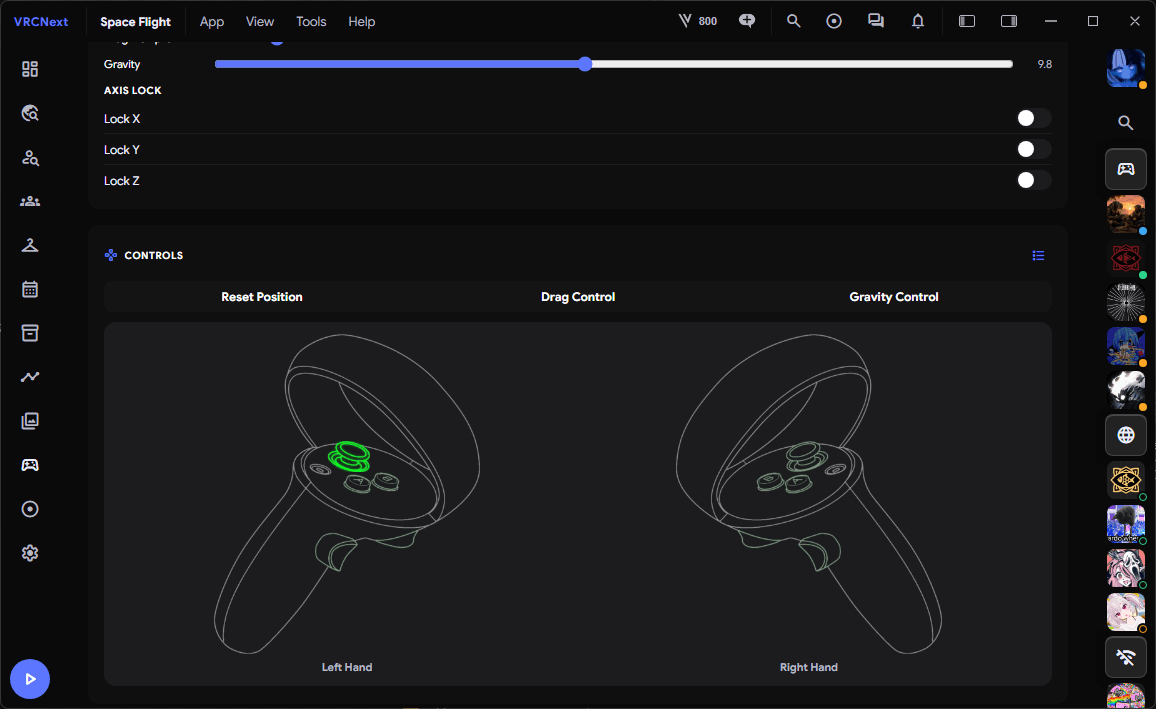
Space Drag

Don't want to juggle a stack of VR apps just to nudge your playspace? Space Drag is built right in, so you can leave OVR Advanced Settings closed for good.

VRCNext Space Drag playspace adjustment for VRChat in VR
imageshot-spacedrag.png

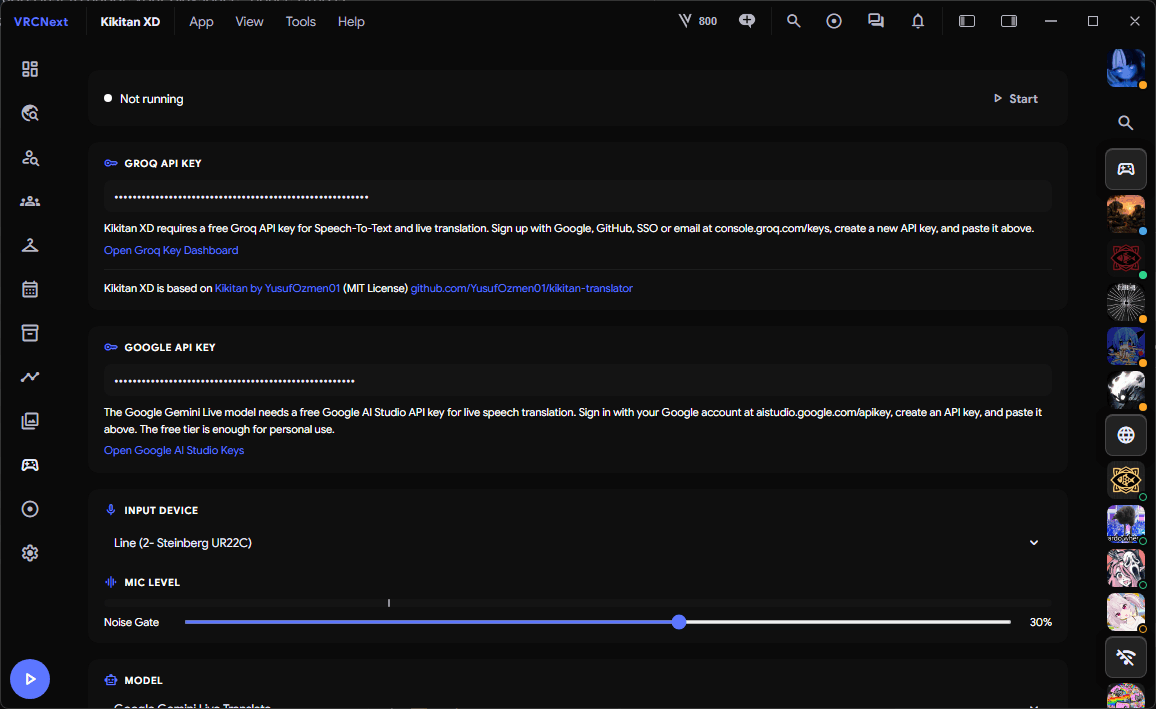
Kikitan Translation

You speak English, your friend only understands Japanese. KikitanXD listens to your voice and pushes a live translation straight into VRChat's OSC chatbox, in whatever language you need.

VRCNext Kikitan live voice translation in the VRChat OSC chatbox
imageshot-kikitan.png

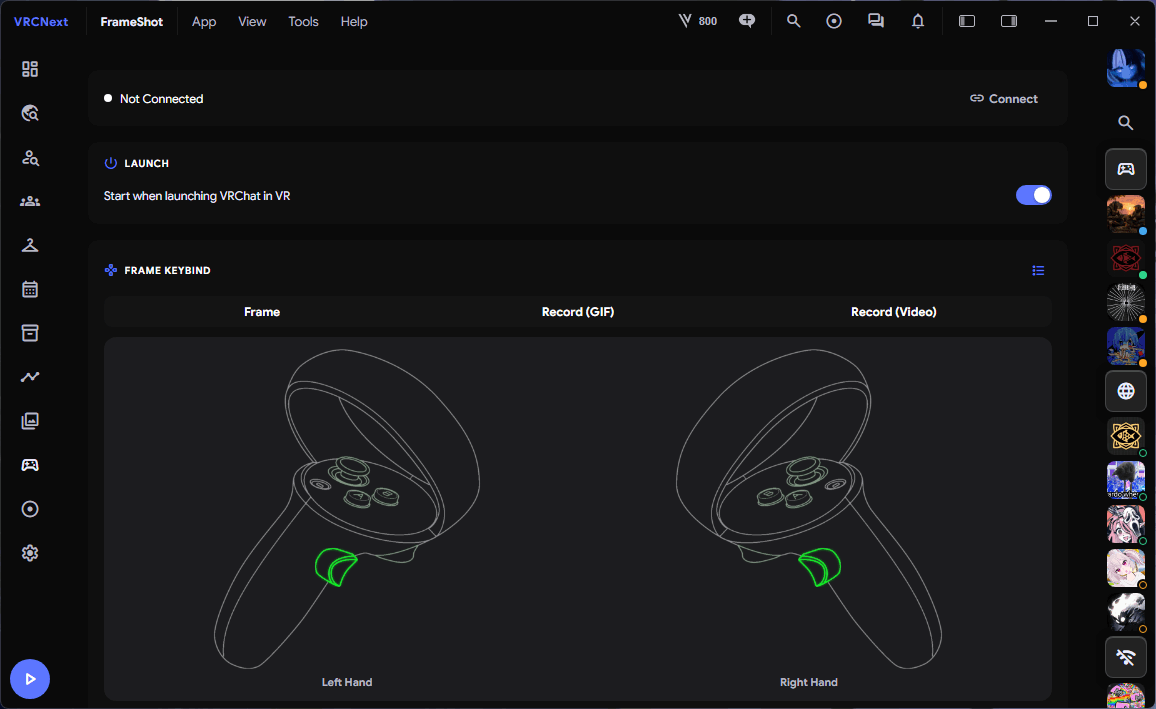
Frame Shots

Something funny is happening and the VRChat camera is far too slow. Frame Shots lets you capture it with a simple hand gesture: stills, GIF recordings, even high-quality MP4 clips.

VRCNext Frame Shots capturing VRChat photos with hand gestures
imageshot-frameshots.png

And there's so much more…

Think VRCX, but modern, and with far more in the box. VRCNext folds in the tools you'd normally need a pile of third-party apps for. The goal is simple: one app for everything, instead of ten just to play VRChat.

open_in_new See all features on GitHub
verified_user

VRCNext is fully open source and safe to use. VRChat is aware of VRCNext, and I take feedback from Tupper personally to improve and enhance it. That said, this does not mean VRCNext is partnered with VRChat in any way. Please always keep in mind that using apps like VRCX or VRCNext is your own responsibility.